iPhone that builds its own apps, with Codex
I believe my iPhone has a specific kind of AGI - I have Codex running locally on an old iPhone that can build apps, deploy, test and iterate locally - all without a Mac. After my last weekend's
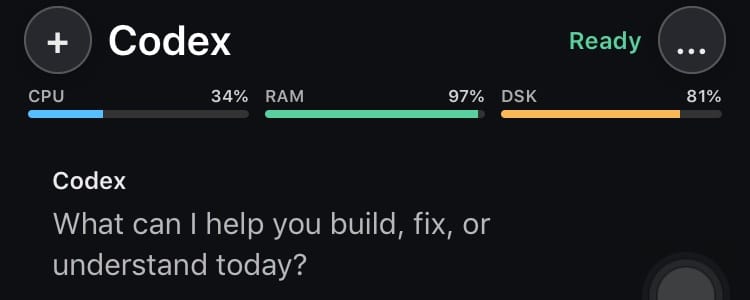
I believe my iPhone has a specific kind of AGI - I have Codex running locally on an old iPhone that can build apps, deploy, test and iterate locally - all without a Mac.
After my last weekend's experimentation with Codex to build apps with a perfect feedback loop for the iPhone 6, I was motivated to take the process to the next step.
https://x.com/angadsg/status/2048499923533148593?s=20
So here I have it - a rooted iPhone 6 that can build iOS apps for itself. Here's how it works: compiled codex binary for the phone and gave it a frontend and a few skills. I describe the app I want, let Codex generate Objective-C/UIKit source, compile it locally with an iOS 12 SDK, install the app into /Applications, launch it, and automatically capture screenshots from the same device for the next iteration.
Of course, this is only possible on a rooted iPhone, but I am sure we will have "App Builder" platforms in the future that can let you do this on the latest iPhone. But for now, there is a certain nostalgia to the iPhone 6 that I do not want to give up.
And here is my favourite app that CodexMobile built in just a few turns on the device - an iPod interface clone with the clicky wheel for browsing public internet radios! Works flawlessly and this sits on my shelf now.
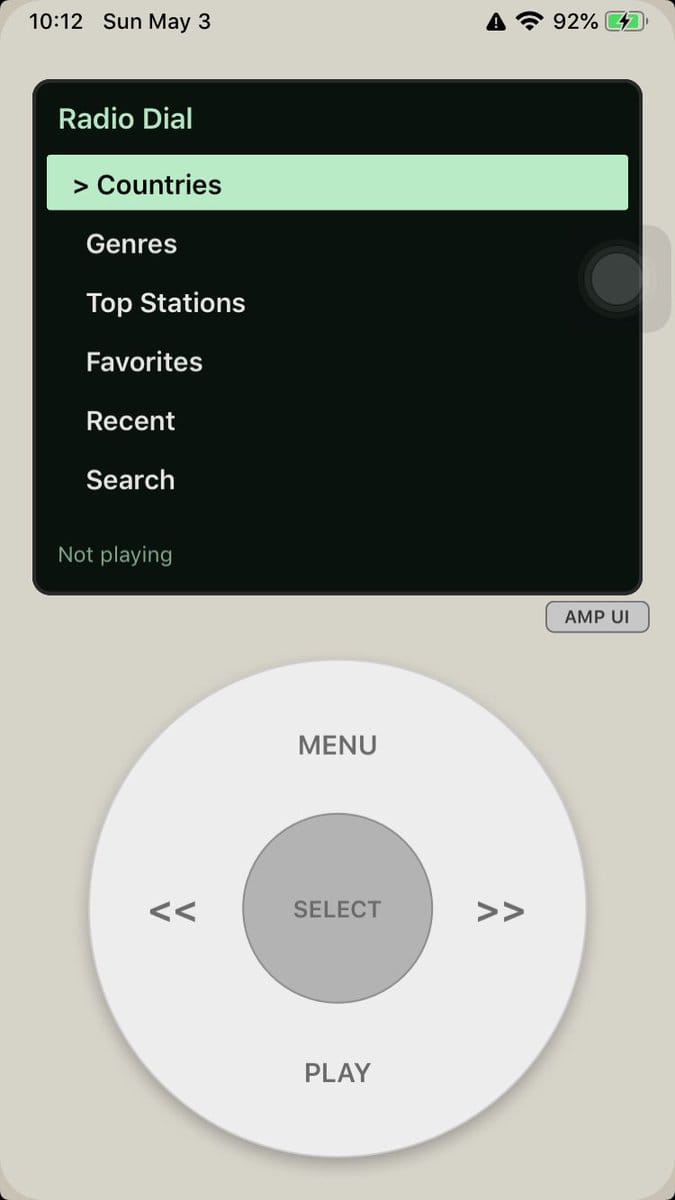
The joy of describing the app on the phone and waiting for it to cook and show me the app in a few minutes is immense.
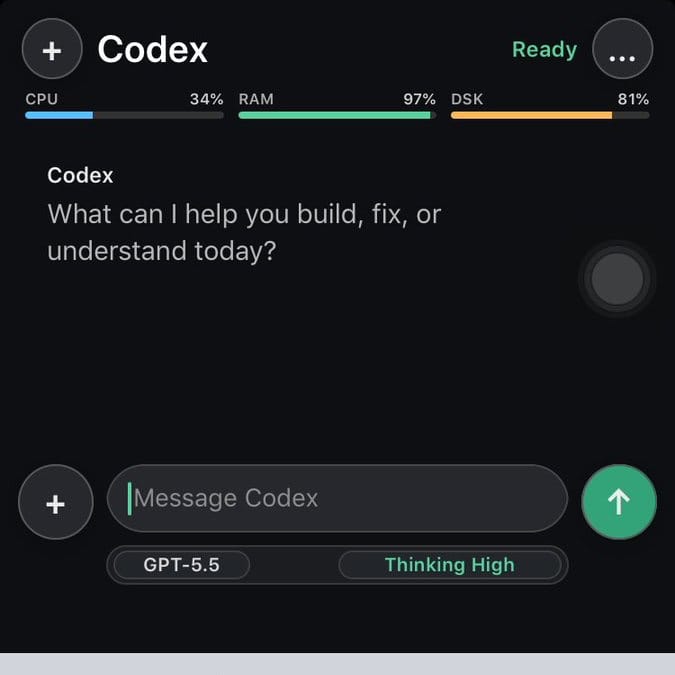
CodexMobile: Codex app locally on iOS
CodexMobile is a native Objective-C/UIKit client, with a cross-compiled Codex binary that gives the iPhone a local Codex-driven development interface.
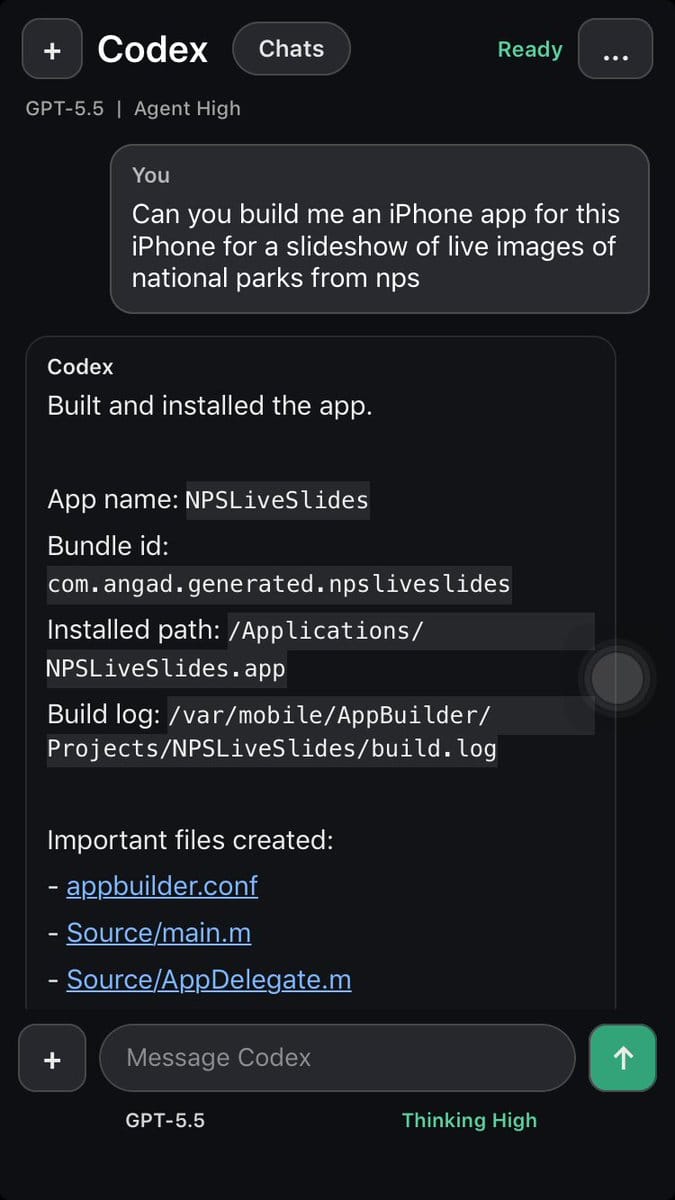
The goal is to have a reliable Codex process that can run inside the constraints of iOS 12 on old arm64 hardware - so we cross-compile Codex for aarch64-apple-ios, target iOS 12, and bundle the binary inside CodexMobile. A few desktop-only pieces, like the v8-backed code-mode runtime and clipboard integration, are stubbed out for iOS while the core agent loop stays intact for the mobile app-builder workflow.
The on-phone environment includes:
- Codex at /var/mobile/Documents/bin/codex
- AppBuilder scripts under /var/mobile/AppBuilder/bin
- generated projects under /var/mobile/AppBuilder/Projects
- an iPhoneOS 12.4 SDK at /var/mobile/sdks/iPhoneOS12.4.sdk
- local signing through ldid
For example, a build of an app records the SDK, generated source files, link step, packaging step, local signing, and final installation:
[builder] app=RadioDial bundle=com.angad.generated.radiodial
[builder] sdk=/var/mobile/sdks/iPhoneOS12.4.sdk
[builder] compiling Source/AppDelegate.m
[builder] compiling Source/RootViewController.m
[builder] compiling Source/main.m
[builder] linking
[builder] packaging /var/mobile/AppBuilder/Projects/RadioDial/Build/RadioDial.app
installed /Applications/RadioDial.app as com.angad.generated.radiodial
That gives the phone a complete local loop: generate UIKit source, compile, package, sign, install, launch, inspect, and revise.
The Feedback Loop - Skills
The most useful part is the feedback loop. CodexMobile can ask for a build, report compiler or packaging errors, launch the result, test the visible UI state, and capture the screen state that matters for the next prompt.
local Codex skills: plain-text playbooks that tell the agent how to build for this exact phone -
Open the installed app, capture screenshots, and drive the phone:

scripts/iphone_zxtouch.sh open <bundle-id>
scripts/iphone_screenshot.sh /tmp/<app>-screen.png
scripts/iphone_zxtouch.sh tap <x> <y>
scripts/iphone_zxtouch.sh type "text"

Inspect screenshots. Fix layout, state, navigation, data, and touch-target problems in code. Repeat deploy/screenshot/playtest until the app works.
For ensuring a high quality result
App launches at full iPhone 6 resolution, not letterboxed.
Text fits, touch targets are reachable, and controls do not overlap.
Primary workflow is usable with taps, scrolls, text input, and navigation.
Screenshots show the actual post-change app, not stale SpringBoard or loading.
Image generation fits into the same loop. It can provide icon directions, mockups, textures, or visual references, while the final app still lands as iOS 12-compatible UIKit and bitmap assets. That keeps the generated projects small enough for the phone and concrete enough to test on real hardware.
Use the available ImageGen / imagegen skill to generate 1-3 mock UI images
for the requested app at iPhone 6 proportions. Prefer 750x1334 portrait
unless the user asked for landscape; use 1334x750 for landscape apps.

Generate an app icon as part of every app build... Do not bake rounded
corners into the icon; iOS applies the mask.
The device is slow enough that every compile is visible, which is part of the appeal. It also remains fast enough for experimentation. A prompt can become an installed app in a short session, and the screenshot gives Codex a direct view of what needs correction.
Here are some of the apps I built with CodexMobile:
Radio Dial
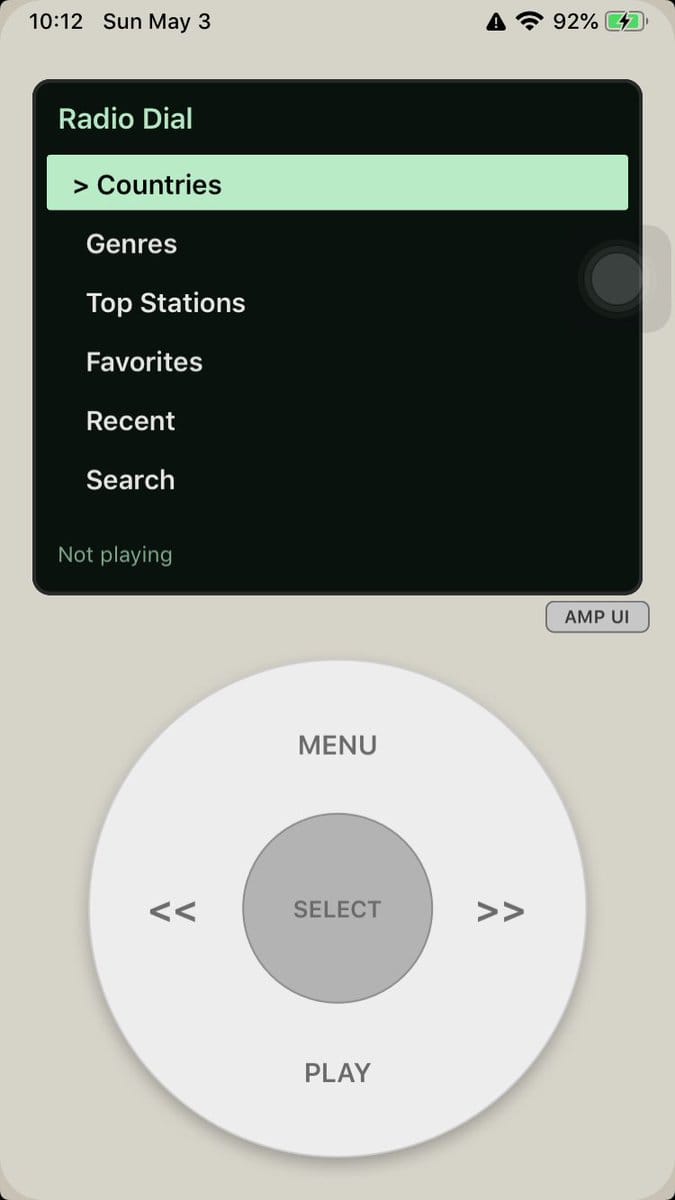
Radio Dial is the strongest example of the form factor working with the idea. It is an internet radio browser built around an iPod touch-style click wheel: a compact station/category panel on top and a large physical-feeling control surface below.
The interface has the basic radio tasks: countries, genres, top stations, favorites, recent stations, and search. The wheel gives the app its character. Menu, previous, next, select, and play are oversized enough to make the phone feel like a dedicated pocket radio rather than a generic stream list.
ClipForge
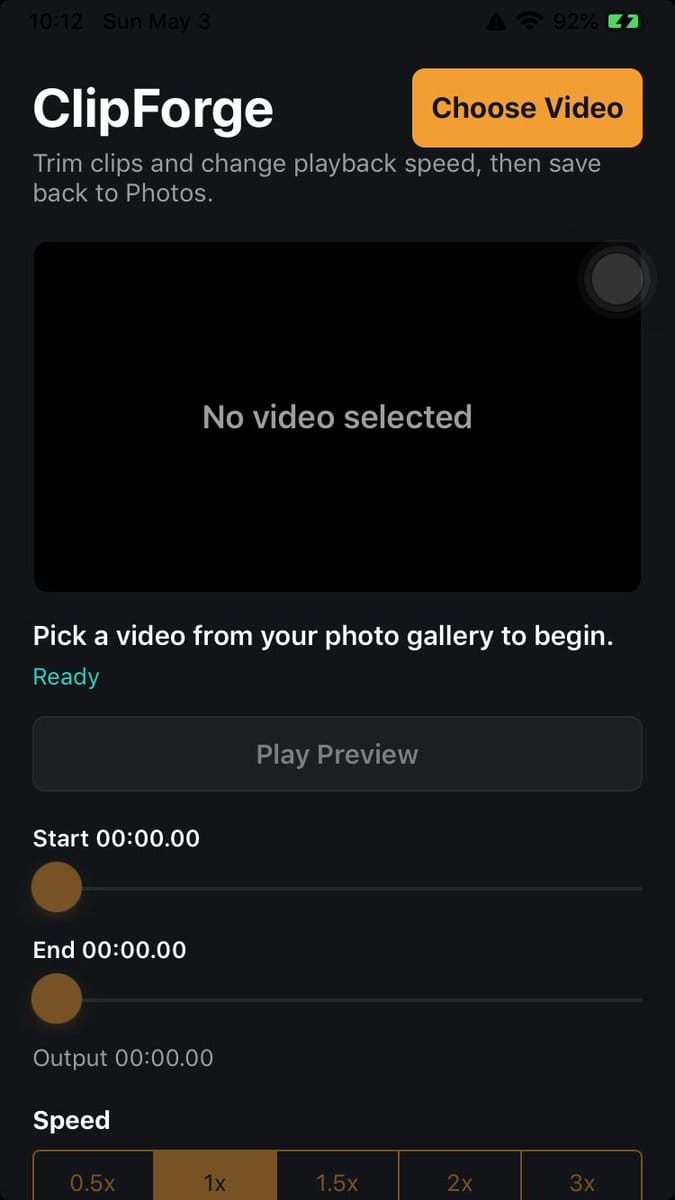
ClipForge is a small video editing tool. It lets me choose a video, preview it, set start and end points, choose playback speed, and save the result back to Photos.
For this kind of tool, on-device screenshots are especially helpful. The first test reveals whether the controls are large enough, whether the disabled states make sense, and whether the save path is clear before touching any deeper media behavior.
Win98Savers
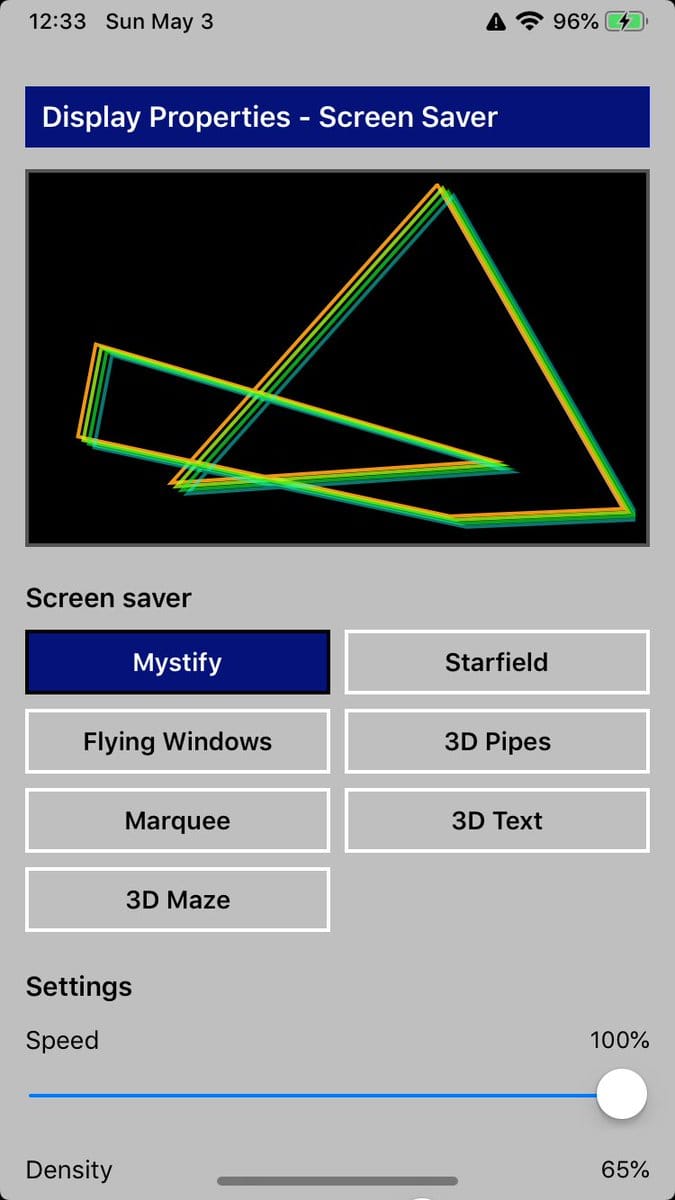
Win98Savers recreates the feel of the Windows 98 Display Properties screen as an iPhone app.
DeskGlowClock
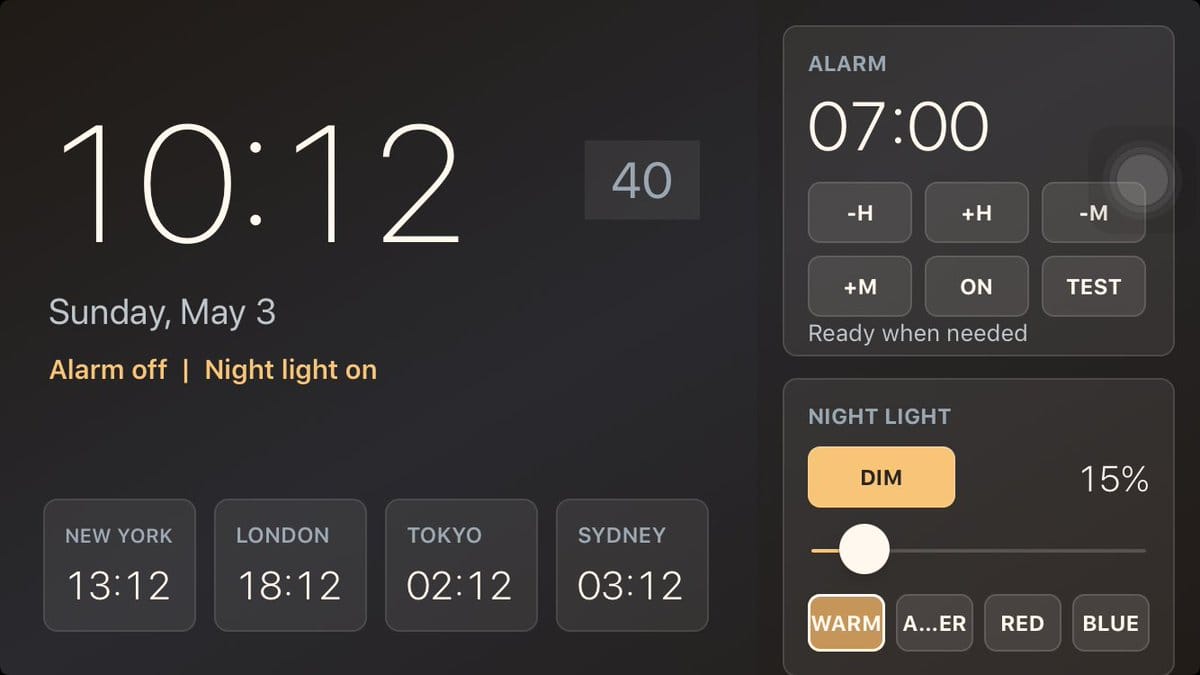
DeskGlowClock turns the iPhone 6 into a landscape desk clock and light controller: large time, date, ambient light mode, night light controls, brightness, and city time chips.
LuminaClock
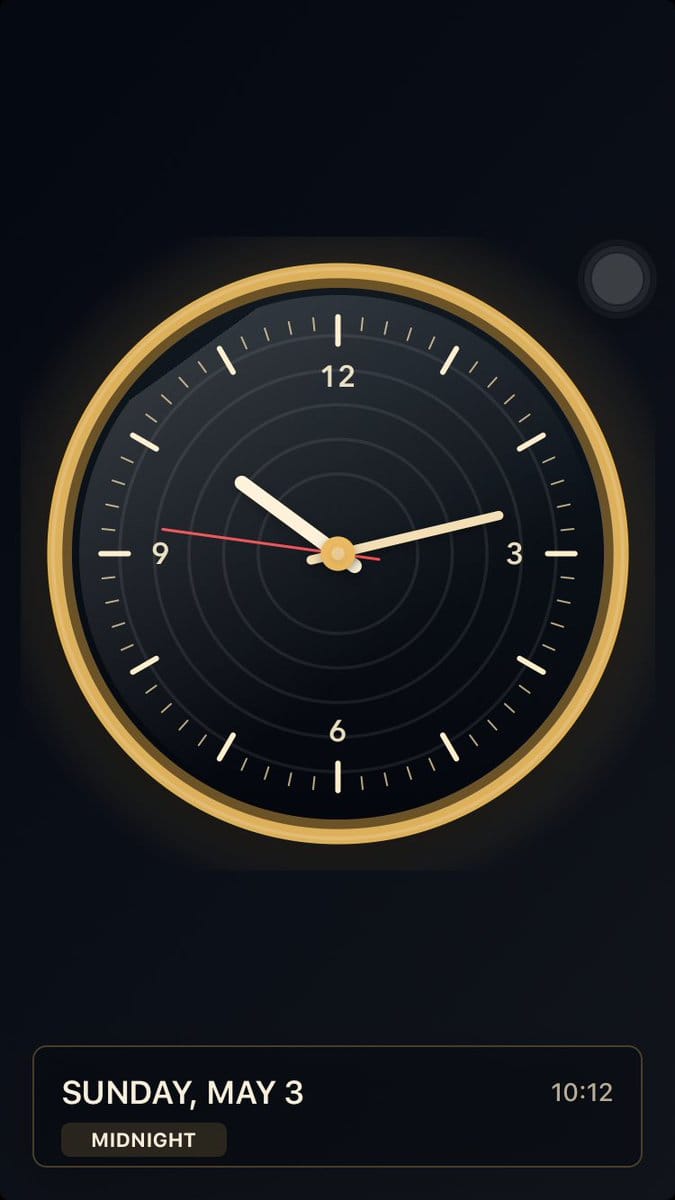
LuminaClock is the more polished clock experiment: an analog face with a dark dial, gold rim, red second hand, and a compact date/time panel. A clock app is a strong test case for generated UIKit because visual balance matters as much as correctness. A screenshot immediately shows whether the hands are readable, whether the face has enough contrast, and whether the status panel competes with the main dial.
Why is this so much fun?
Because the loop is completely mine. I describe an app, watch it build, launch it on the same phone, and use the screenshot to make the next version better. It is software for an audience of one, built on a device I fully control. This is the future I actually wanted.